

As I use to do, I was about to upgrade my home kubernetes cluster using kubespray. Last version of kubespray I ran was v2.28.0.
When version v2.29.0 was released, I tried to run it against my home kubernetes cluster but surprisingly, I get the error showed in the below image.
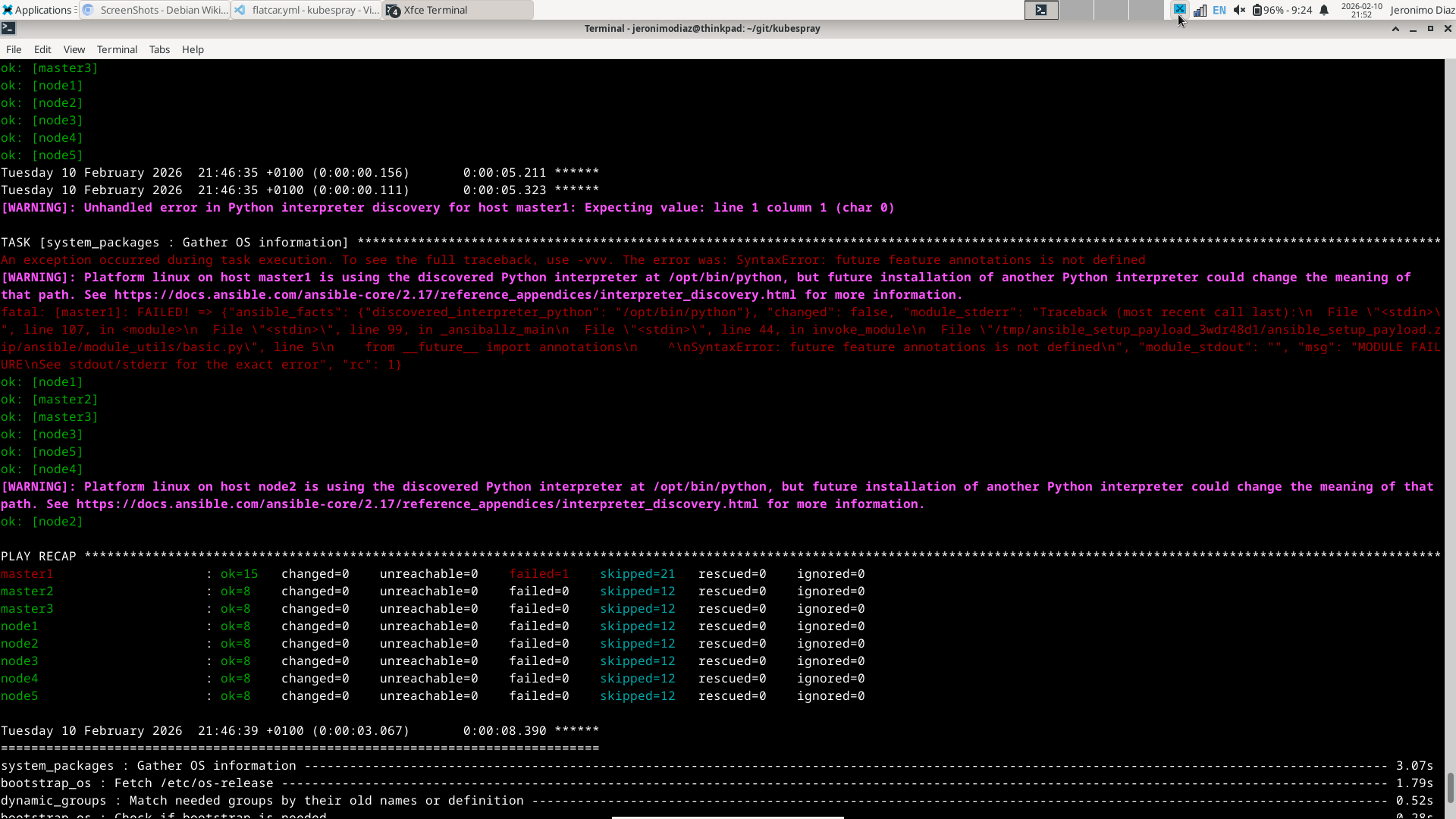
After a quick Gemini search, the error seemed to be thrown because the version of python in the failing node was below 3.7. Below image shows which python version was present in the failing node so I confirmed that version 3.6.9 was installed.
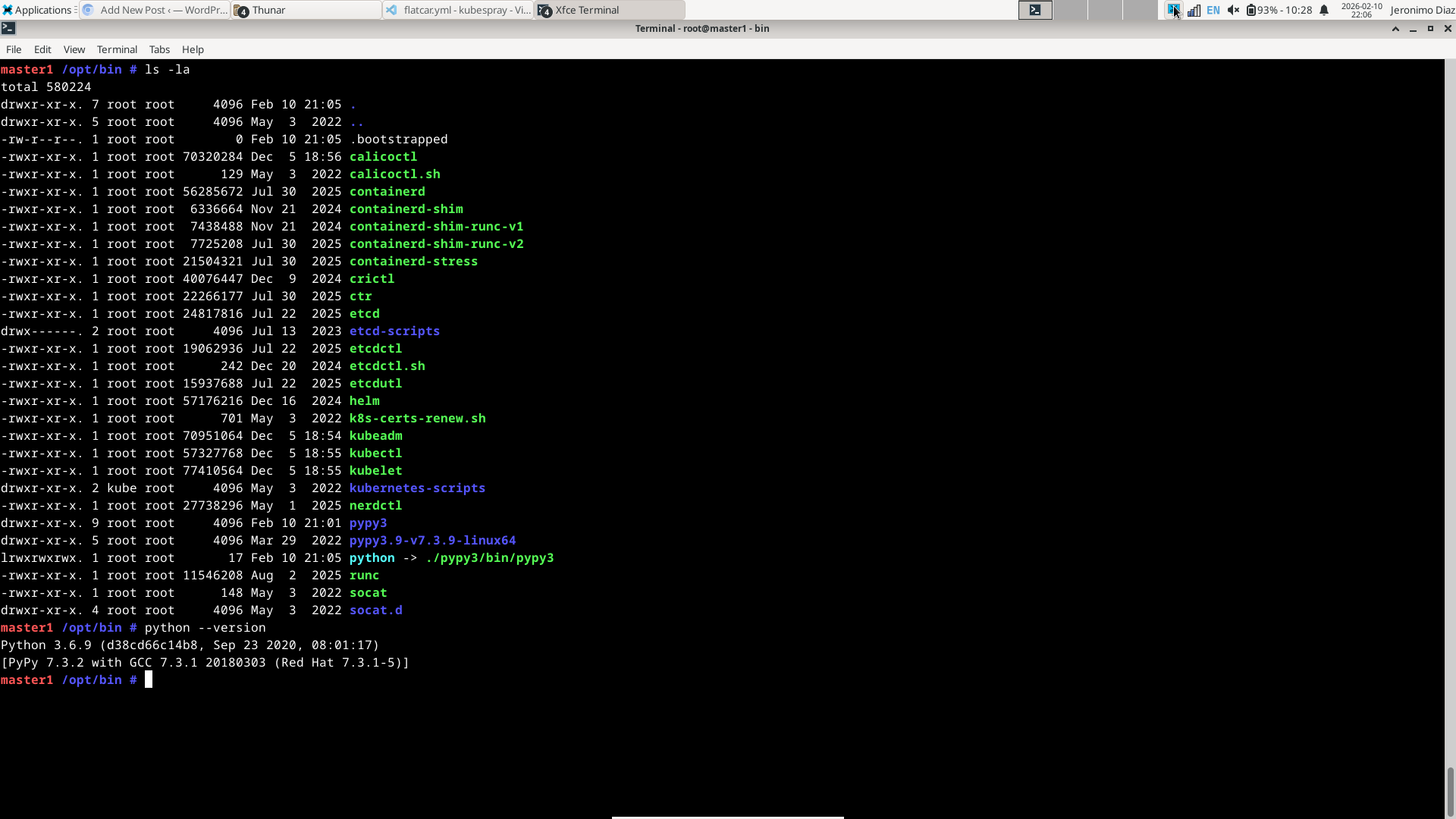
After I confirmed what Gemini told me, I asked Gemini again how to fix it using Kubespray and it showed me that there is a bootstrap role in Kubernetes that installs python in all the kubernetes nodes.
What I did was checking out the last version that worked for me and execute bootstrap role against the node that was not configured properly.
git checkout v2.28.0
pip install -r requirements.txt --upgrade
ansible-playbook cluster.yml --limit master1 --tags bootstrap_os -b -i inventory/home_cluster/inventory.ini -e ansible_python_interpreter=/opt/bin/python -K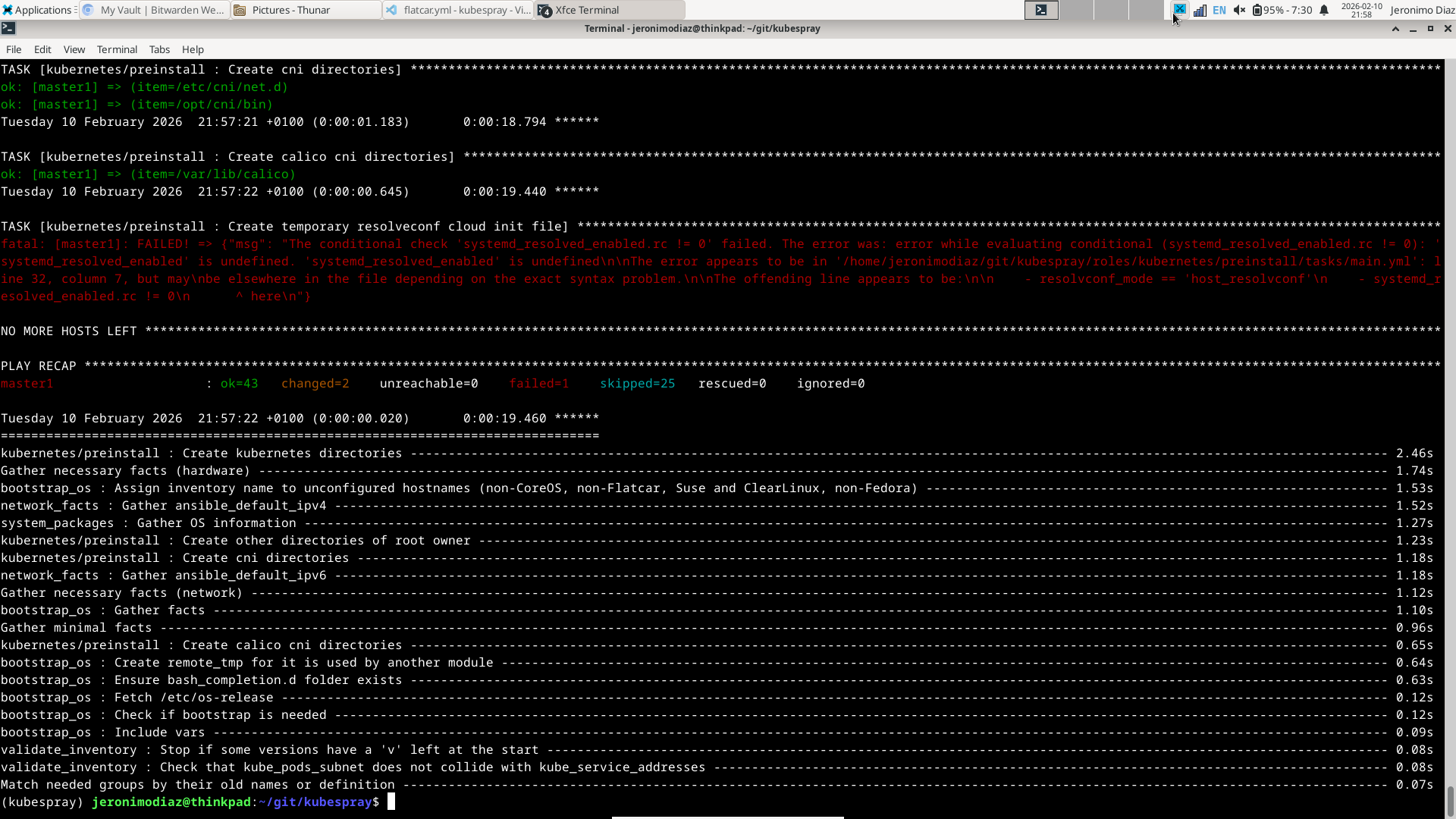
Because the node is marked as already bootstraped, python is not installed by the bootstrap role. To force reinstalling python again using a newer version configured kubespray v2.28.0, /opt/bin/.bootstrapped file needs to be removed. SSH into the problematic node and run
sudo rm /opt/bin/.bootstrappedAnother error will be thrown because python symbolic link is present.
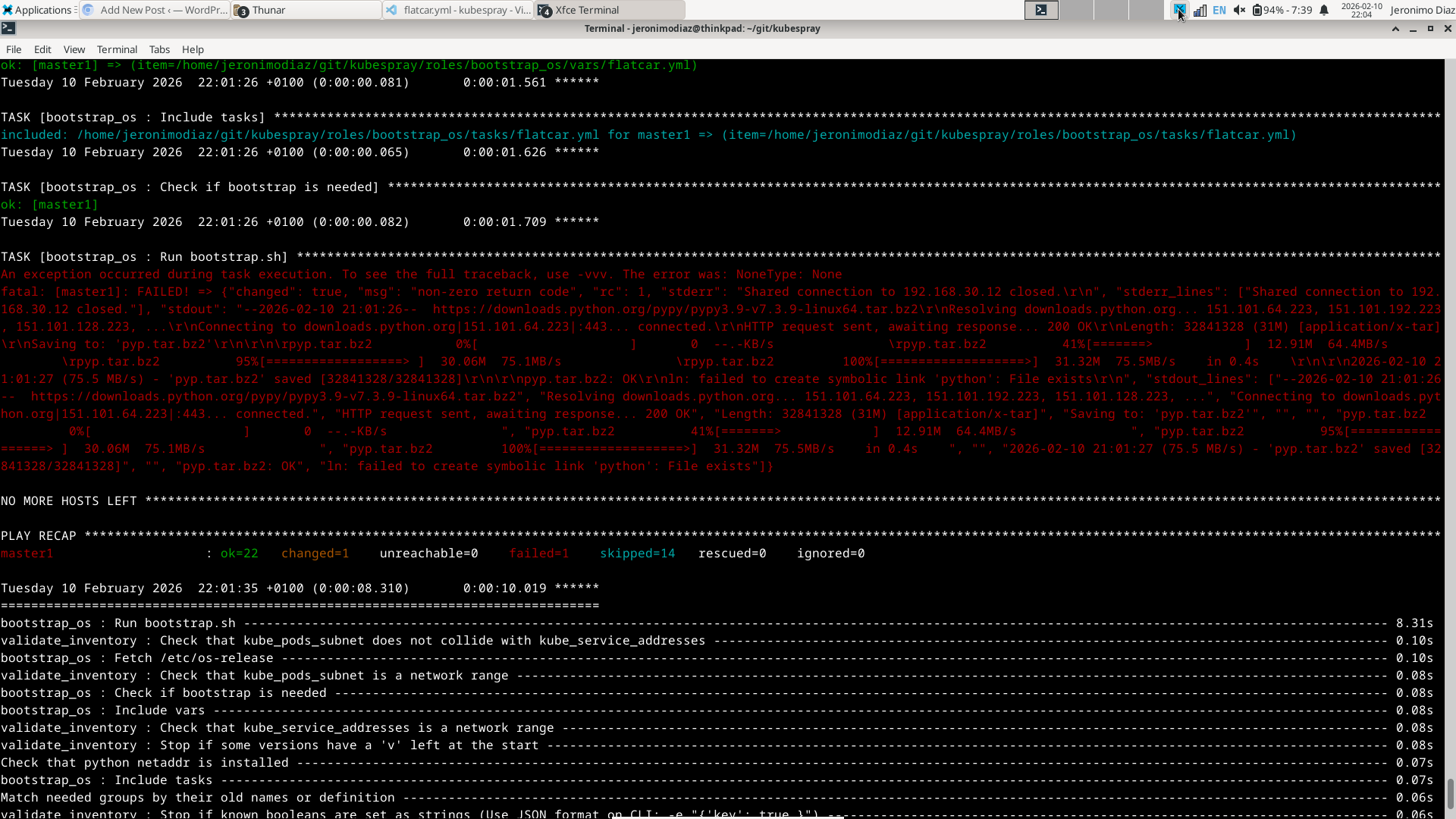
Run command to remove it
sudo unlink /opt/bin/pythonAfter this command, the ansible command to bootstrap the node will fail again but there is a small difference with the first failure. This time, there is another python version present in the problematic node.
However, the default python version is still the old one. I ran below commands to configure it properly.
master1 /opt/bin # mv pypy3 pypy3.6
master1 /opt/bin # mv pypy3.9-v7.3.9-linux64/ pypy3
master1 /opt/bin # python --version
Python 3.9.12 (05fbe3aa5b0845e6c37239768aa455451aa5faba, Mar 29 2022, 08:15:34)
[PyPy 7.3.9 with GCC 10.2.1 20210130 (Red Hat 10.2.1-11)]
Now, the version is correct and the issue is fixed. The command to upgrade the kubernetes cluster runs fine now.
I hope you enjoyed this read. I really enjoyed doing all the steps as well as writing my experience.
Thanks for reading my blog. See you in the next post!
